Skip to content
Back Home

The right software for the job.

The right software for the job.

  • Home
  • Apps
    • NetShred X – Mac
    • ShredIt
      • ShredIt – macOS
      • ShredIt – Windows
      • ShredIt – iOS
      • ShredIt – Android
      • ShredIt – Mac OS 8 | OS 9
      • Shredit – Mac OS 7
    • mirethMusic – Mac
    • iVCD – Mac
    • MacVCD X – Mac
    • All Apps
  • Software Demo
  • Download Mireth Apps
  • Purchase
  • Help
    • Support
    • Q & A
    • Site Map
    • Resources
    • About Us
    • Reviews
    • Write a Review
    • News
    • Contact Us
Home » ShredIt » ShredIt - Windows » Tutorials » How to erase Free Space » siwe-freespace-button

Testimonials

Thank you for a valuable app

[ShredIt X] That did the trick. Thank you for a quick response and thank you for a valuable app.

ed A
Licensed Private Investigator

Simple, Simple, Simple

NetShred
“Simple, Simple, Simple. (Whew!)”

Mr. Jxn
from CNET

For your eyes only? Use ShredIt

If you receive any document on your computer that is for your eyes only and should be destroyed after reading, just drag the file on to the ShredIt icon and ShredIt File Shredder will wipe the file data so it can’t be recovered. [Read More]

mause.ca

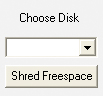
siwe-freespace-button


Next →
https://mireth.com/wp-content/uploads/siwe-freespace-button.jpg https://mireth.com/wp-content/uploads/siwe-freespace-drag.jpg

APPS

  • Download
  • iVCD
  • MacVCD X
  • mirethMusic
  • NetShred X
  • ShredIt

STORE

  • Buy Now
  • FAQs
  • Upgrades
  • Cancel Subscription
  • Refund Policy
  • Shipping Policy

Privacy Policy | Sales and Refunds | Site Map

HELP

  • Technical Support
  • Q&A
  • Sitemap
  • Resources
  • Contact Us

ABOUT US

  • About Mireth
  • Customer Comments
  • News
  • News Feed
  • Contact Us

Log In

Join Now | Lost Password?

· © 2026 Mireth Technology · Designed with Customizr Pro ·