Skip to content
Back Home

The right software for the job.

The right software for the job.

  • Home
  • Apps
    • NetShred X – Mac
    • ShredIt
      • ShredIt – macOS
      • ShredIt – Windows
      • ShredIt – iOS
      • ShredIt – Android
      • ShredIt – Mac OS 8 | OS 9
      • Shredit – Mac OS 7
    • mirethMusic – Mac
    • iVCD – Mac
    • MacVCD X – Mac
    • All Apps
  • Software Demo
  • Download Mireth Apps
  • Purchase
  • Help
    • Support
    • Q & A
    • Site Map
    • Resources
    • About Us
    • Reviews
    • Write a Review
    • News
    • Contact Us
Home » ShredIt » ShredItX - Mac » Tutorials » How to erase external Hard Drive or Thumb Drive » shreditx-usb-flash-drive-select

Testimonials

Need to securely wipe an entire drive?

Mireth ShredIt X is for users who may need to securely wipe an entire drive but who may also need to dispose of confidential data on an ongoing basis. These users appreciate how easy ShredIt X is to use.  [Read More]

mause.ca

Thanks for a great product!

Thanks for your help—Shred It X works perfectly.
Thanks for a great product!

G Edmonson

ShredIt work wonderfully

I recently purchased the ShredIt utility and it works wonderfully.

cn

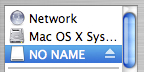
shreditx-usb-flash-drive-select


Next →
erase USB flash drive select
https://mireth.com/wp-content/uploads/shreditx-usb-flash-drive-select.jpg https://mireth.com/wp-content/uploads/usb-flash-drive-mounted.jpg https://mireth.com/wp-content/uploads/usb-flash-drive.jpeg

APPS

  • Download
  • iVCD
  • MacVCD X
  • mirethMusic
  • NetShred X
  • ShredIt

STORE

  • Buy Now
  • FAQs
  • Upgrades
  • Cancel Subscription
  • Refund Policy
  • Shipping Policy

Privacy Policy | Sales and Refunds | Site Map

HELP

  • Technical Support
  • Q&A
  • Sitemap
  • Resources
  • Contact Us

ABOUT US

  • About Mireth
  • Customer Comments
  • News
  • News Feed
  • Contact Us

Log In

Join Now | Lost Password?

· © 2026 Mireth Technology · Designed with Customizr Pro ·